From Operator to Source
Let’s start with the most basic operator. Adding a cube.
First thing you’re going to want to do, is turn on Python tool tips. file > preferences
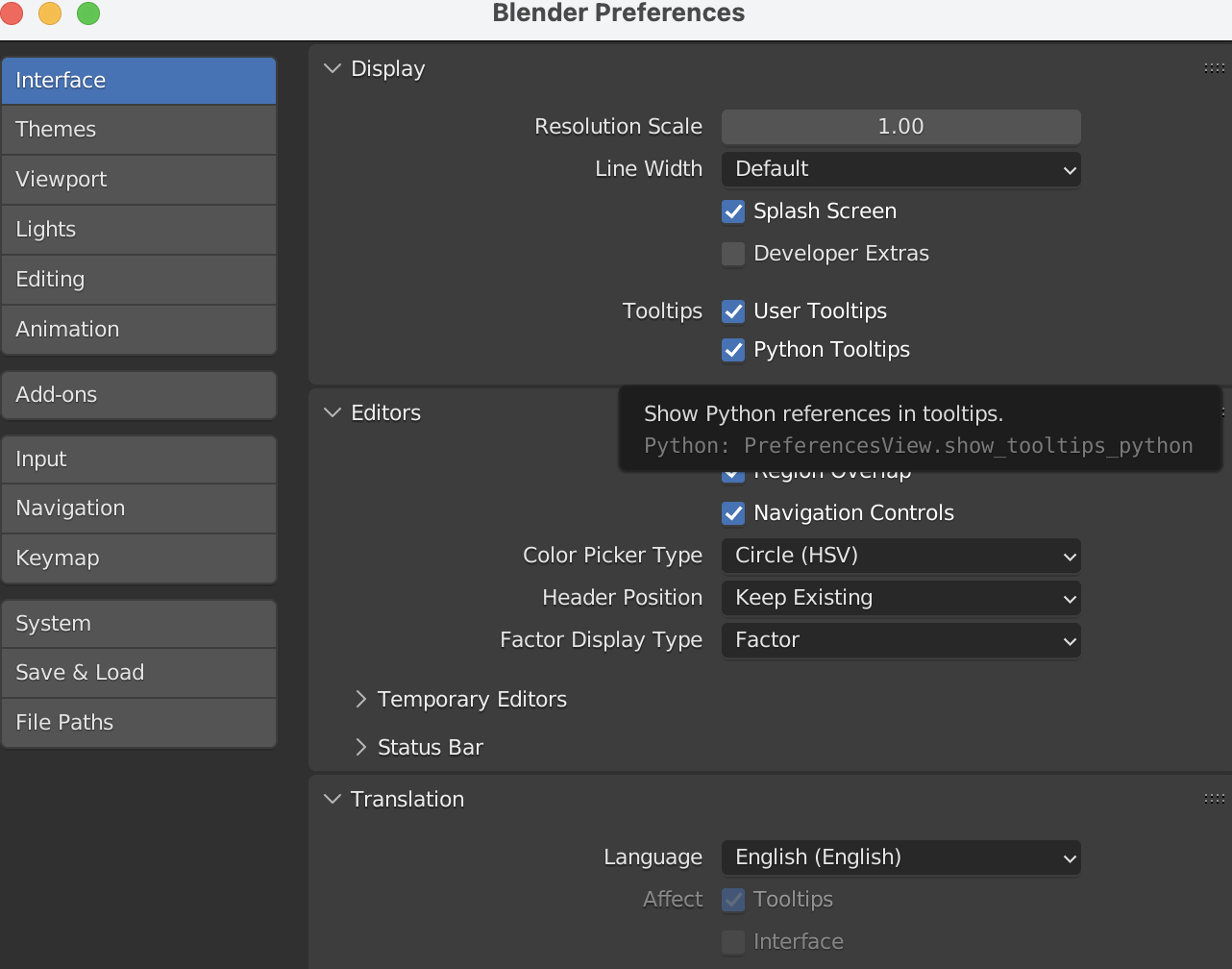
This will allow us to see the python bindings for all operators, and will give us a starting point to search the code base.
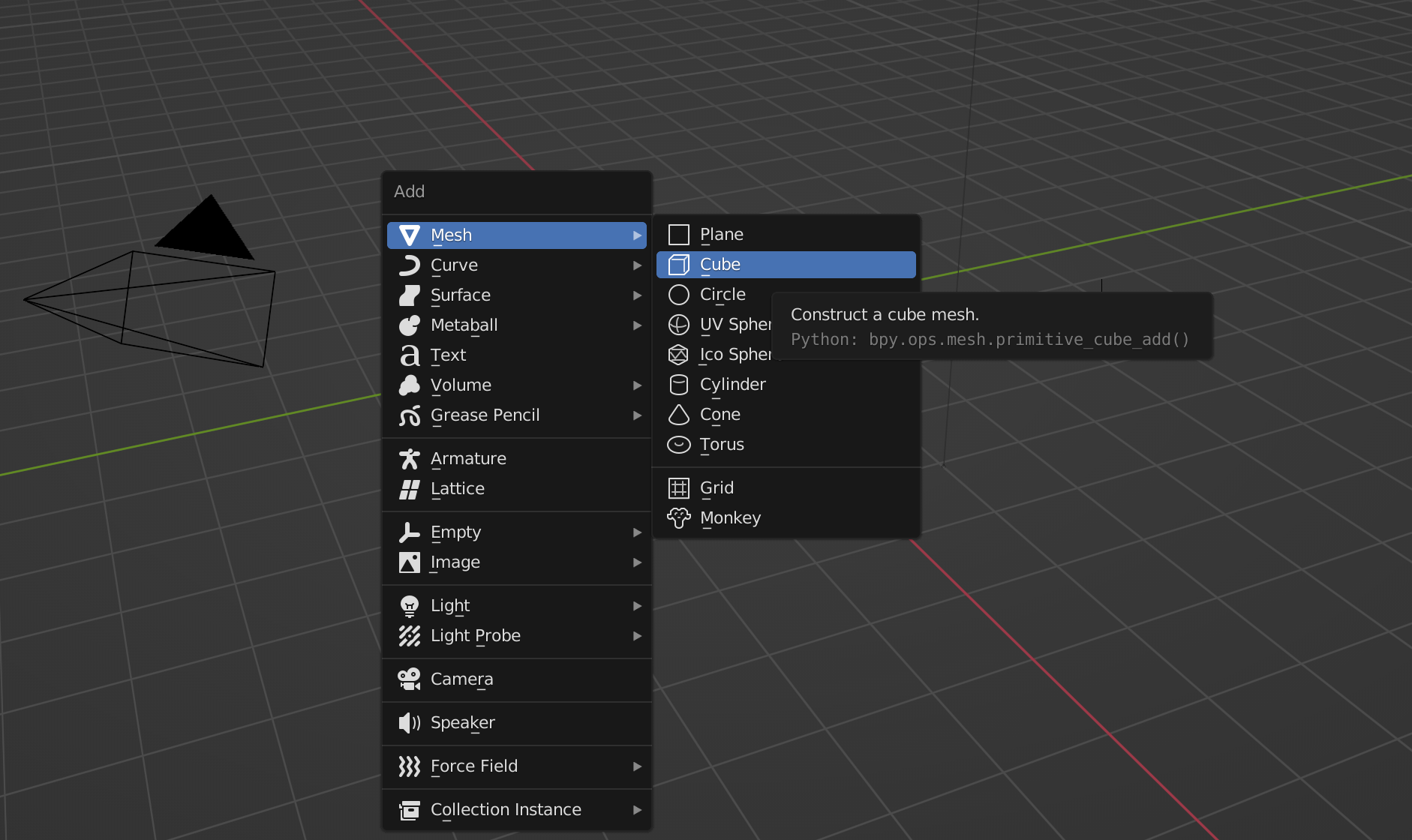
From the add mesh menu, we can see the python tool tip corresponding to adding a cube .primitive_cube_add().
Pro Tip: you can Ctrl+C while hovering over the python tool tip to copy the python code.
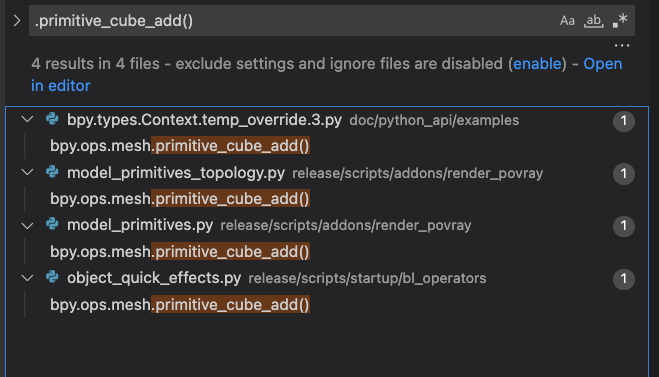
Jumping into our IDE, and searching for .primitive_cube_add() yields unsatisfactory results:
Since this is blender core development, 90% of the time, we’re going to be wanting to look for C or C++ files. Filtering out .py files will greatly help in searching.
We’re also looking for the method definition, not the actual method call, so removing the . (period) and () (parenthesis) from the method name will help. The results are much more useful:
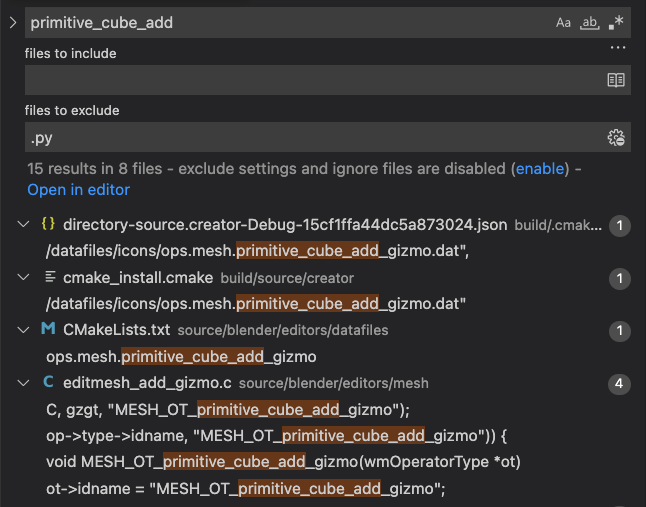
From the results, we can see that MESH_OT_primitive_cube_add is what we want, and is defined in source/blender/editors/mesh/edit_mesh/c line 201.
/* api callbacks */

ot->exec = add_primitive_cube_exec;

ot->poll = ED_operator_scene_editable;
These callbacks are where the operator magic happens, specifically add_primitive_cube_exec which is the method to actually create the cube. Lets go ahead and modify the source code, and see the change.
scale[3]; defines the array of scale for the primitive (x,y,z), and gets the default values from ED_object_add_generic_get_opts. On line 582 in object_add.cc let’s bump up the scale to 2.
// object_add.cc

...
/* Scale! */

{
float _scale[3];

if (!r_scale) {
	r_scale = _scale;
}

/* For now this is optional, we can make it always use. */
copy_v3_fl(r_scale, 1.0f);

PropertyRNA *prop = RNA_struct_find_property(op->ptr, "scale");

if (prop != nullptr) {
	if (RNA_property_is_set(op->ptr, prop)) {
		RNA_property_float_get_array(op->ptr, prop, r_scale);
	}
	else {
		// HERE! This is where we can update the default scale
		copy_v3_fl(r_scale, 2.0f);

		RNA_property_float_set_array(op->ptr, prop, r_scale);
	}
}
...
Once we save and recompile, adding in a cube will now have a default scale of 2.
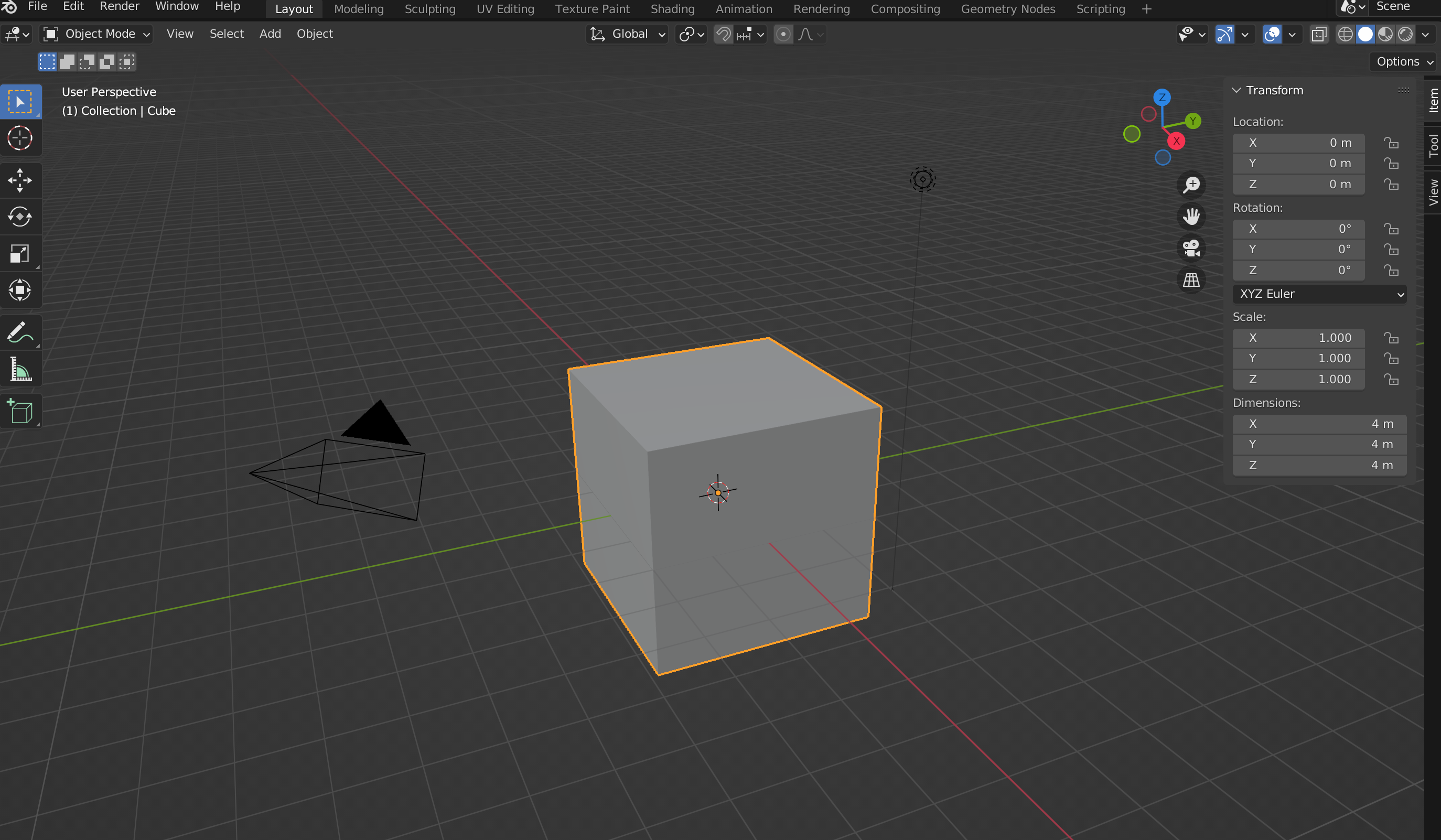
Notice that the dimension is 4, but the scale still 1? That’s because we modified the scale outside of the prop, and it wasn’t updated. This serves as a reminder that there are plenty of edge cases that exist, and even simple changes can have cascading effects.
References: